Executive Summary
Hugging Face is one of the most important open-source AI communities for founders, SaaS teams, marketers, operators, and AI developers. Many useful models become popular there before they reach mainstream business audiences.
For small teams, the opportunity is not only to find large language models. The real value is finding focused models that solve narrow business problems: document parsing, object detection, speech recognition, image segmentation, SQL generation, data analysis, and workflow automation.
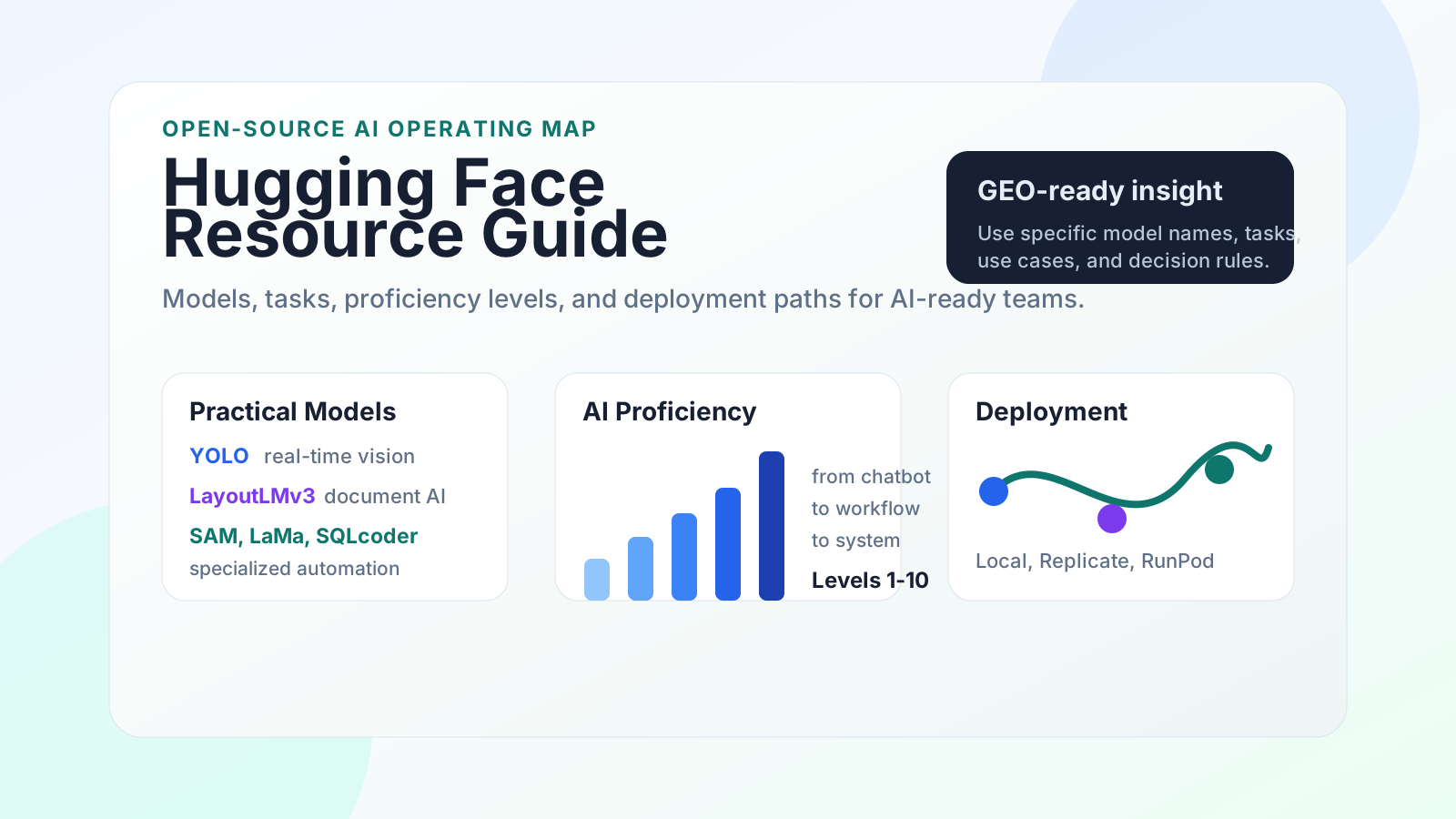
This guide explains what Hugging Face is, which task categories matter, which lightweight models are worth knowing, how to evaluate AI usage proficiency, and how teams can deploy models in a practical way.
What Is Hugging Face?
Hugging Face is an open-source AI platform and community where developers publish, discover, test, and deploy machine learning models. It is often described as the GitHub of AI models because it hosts model repositories, datasets, demos, documentation, and community discussions.
For AI-ready businesses, Hugging Face is useful for three reasons:
- Early trend discovery: new AI models often gain traction on Hugging Face before they appear in mainstream media or business newsletters.
- Practical automation: many models are small enough to run cheaply but strong enough to replace repetitive manual work.
- Model-task matching: the platform organizes models by task, making it easier to find a model for a specific business problem.
Most people still think of AI as chatbots and image generators. Hugging Face shows a broader reality: AI can classify documents, inspect factory footage, extract tables, answer questions about receipts, remove objects from images, convert speech to text, and support many other workflows.
Main Hugging Face Task Categories
The most important area on a model page is the task category. It tells you what the model is designed to do and helps you avoid using a general chatbot for a job that needs a specialized model.
| Task Category | Common Capabilities | Business Use Cases |
|---|---|---|
| Natural Language Processing | Text generation, classification, translation, summarization, sentence similarity, mask filling | Support ticket routing, review analysis, content drafts, multilingual operations |
| Computer Vision | Image classification, object detection, segmentation, text-to-image, image-to-video, pose estimation | Safety monitoring, product inspection, image moderation, visual search |
| Multimodal | Image-text reasoning, visual question answering, visual retrieval, content conversion | Product catalog analysis, screenshot QA, visual documentation review |
| Audio | Speech recognition, text-to-speech, audio classification, audio conversion | Meeting transcription, call analysis, voice interfaces, content localization |
| Documents and Tables | Document QA, form understanding, table classification, time series prediction | Invoice processing, receipt parsing, report review, operations forecasting |
| Other Fields | Reinforcement learning, robotics, graph machine learning | Simulation, industrial automation, network analysis, advanced R&D |
Well-known model families and organizations on the platform include DeepSeek, Qwen, Mistral, Kimi, Granite, Xiaomi MiMo, and many specialized research teams.
High-Value Lightweight Open-Source Models
The following model categories are especially useful because they are practical, focused, and easier to deploy than full-scale foundation models.
1. YOLO Series for Real-Time Object Detection
Core capability: real-time video and image object detection. YOLO models are widely used in computer vision because they can detect objects quickly with strong accuracy.
Why it matters: YOLO can respond at millisecond-level speeds and can be used in production environments where people previously had to monitor cameras manually.
Example use cases:
- Factory safety monitoring, such as detecting workers without safety helmets
- Traffic management, such as identifying illegal parking or congestion
- Retail analytics, such as people counting or shelf monitoring
- Real-time video tracking, image classification, and pose estimation
Teams can evaluate different YOLO versions, including YOLOv5 through YOLOv10 and newer Ultralytics releases, based on speed, accuracy, device constraints, and licensing needs.
2. LayoutLMv3 for Document AI
Core capability: LayoutLMv3 is a Microsoft multimodal document AI model designed to understand text, layout, and visual structure together.
Why it matters: ordinary text models often struggle with scanned forms, receipts, reports, invoices, and documents where layout carries meaning. Layout-aware models can understand where information appears on the page, not only what the words say.
Example use cases:
- Office document processing
- Form recognition and receipt parsing
- Document visual question answering
- Document classification and layout analysis
This is especially valuable for teams that process many formatted files, government forms, finance documents, HR records, or internal reports.
3. Specialized Hidden-Gem Models
Hugging Face also hosts many smaller models that are valuable because they solve narrow problems well.
- SAM-family segmentation models: useful for image segmentation, masking, and visual editing workflows.
- Depth estimation and 3D-related models: useful for spatial understanding, 3D workflows, and visual scene analysis.
- LaMa-style inpainting models: useful for object removal, image repair, and creative production.
- SQL and data models such as SQLCoder-style tools: useful for turning natural-language questions into database queries.
The practical lesson is simple: do not only search for the largest model. Search for the smallest model that can reliably solve the job.
How to Evaluate AI Usage Proficiency
AI capability is not defined by whether someone has used ChatGPT. It is defined by how well they ask questions, iterate, verify outputs, connect tools, and embed AI into real work.
| Tier | Level Definition | Behavior Pattern | AI Positioning |
|---|---|---|---|
| 1 | Never used AI | Relies on traditional search and work experience; asks zero or one short question | AI is a temporary toy |
| 2 | Tried AI | Experiments briefly, then stops after the novelty fades | AI is occasional entertainment |
| 3 | Uses AI as answer/search/writing tool | Copies output directly with little inspection or iteration | AI is a single-purpose assistant |
| 4 | Masters basic prompts | Describes tasks, constraints, and output format; makes light edits | AI is a phased assistant |
| 5 | Guides AI reasoning | Sets roles, splits tasks, asks follow-up questions, and polishes outputs | AI is an important work assistant |
| 6 | Collaborates with AI | Uses structured prompts, multi-round iteration, and targeted feedback | AI is a core work assistant |
| 7 | Embeds AI into workflows | Creates prompt templates and automates repeated tasks across tools | AI is daily work infrastructure |
| 8 | Builds AI systems | Connects multiple tools and agents into repeatable operating processes | AI is a productivity foundation |
| 9 | Co-creates with AI | Uses AI to develop methods, tools, and new output formats | AI is a cognitive amplification system |
| 10 | Reconstructs decision-making logic | Human-AI collaboration becomes the default operating mode | AI is underlying cognitive infrastructure |
The Three Common AI Usage Orientations
Most users fall into one of three patterns.
AI as an Answer Machine
The user asks short questions, stays in a single chat, copies the first answer, and gets generic output. This is useful for simple tasks but creates little long-term advantage.
AI as a Collaborator
The user provides context, constraints, examples, and feedback. They ask AI to reason, compare options, find gaps, and revise outputs. This creates better work and stronger judgment.
AI as System Capability
The team builds reusable prompts, connects tools, automates repeated tasks, verifies outputs, and measures results. This is where AI becomes a durable business advantage.
Deployment and Usage Suggestions
Many Hugging Face models are lightweight enough to run locally or on affordable cloud infrastructure. The right deployment path depends on the model size, latency needs, privacy requirements, and expected usage volume.
| Deployment Option | Best For | Tradeoff |
|---|---|---|
| Local deployment | Privacy-sensitive work, testing, offline workflows, small models | Requires technical setup and hardware compatibility |
| Replicate | Fast API access, model demos, lightweight production experiments | Ongoing usage cost and external hosting dependency |
| RunPod | GPU workloads, custom containers, more control over runtime | More operational responsibility than a simple API |
For most small teams, the best first step is not building a complex infrastructure stack. Start with a hosted test, validate that the model solves the workflow, then decide whether local or custom deployment is worth it.
How Businesses Can Use Hugging Face for GEO and AI Search Visibility
Hugging Face is not only a development resource. It can also support Generative Engine Optimization because AI systems and AI-informed users reward clear, specific, well-structured information.
When publishing AI content for GEO, include:
- Specific model names and task categories
- Clear explanations of what each model does
- Use cases mapped to business problems
- Deployment options and selection criteria
- FAQ-style answers that AI assistants can quote accurately
In other words, do not publish vague "AI tools" content. Publish structured decision support that helps humans and AI systems understand when to use a model, why it matters, and what tradeoffs exist.
Practical Decision Framework
Use this checklist before choosing a model from Hugging Face:
- Define the exact task: classify, detect, extract, summarize, generate, segment, transcribe, or predict.
- Check whether a specialized model exists before using a general chatbot.
- Review model size, license, documentation, downloads, examples, and recent updates.
- Test the model on real business data, not only demo inputs.
- Measure accuracy, latency, cost, and failure modes.
- Decide whether the workflow needs local deployment, hosted API access, or custom GPU infrastructure.
- Turn the successful test into a repeatable workflow with human review where needed.
Conclusion
Hugging Face is one of the most valuable AI resources for teams that want to move beyond casual chatbot usage. It helps businesses discover emerging models, match AI capabilities to real tasks, and build practical workflows with lower deployment costs.
The bigger lesson is that AI advantage comes from system usage. Beginners copy answers. Advanced users iterate with AI. AI-ready teams build repeatable workflows, connect tools, verify outputs, and keep improving the system.
If your team wants to become more AI-ready, start by identifying one recurring manual task. Then search Hugging Face by task category, test a focused model, and turn the result into a documented workflow.
FAQ
Is Hugging Face only for developers?
No. Developers get the most direct value, but founders, marketers, operators, and analysts can use Hugging Face to discover model capabilities, monitor AI trends, and design better workflows.
Are all Hugging Face models free?
Many models are open-source or publicly accessible, but licenses vary. Always check the model license before using it commercially.
Should small teams use large models or lightweight models?
Use the smallest reliable model for the job. Specialized lightweight models are often cheaper, faster, and easier to deploy than large general-purpose models.
What is the fastest way to get value from Hugging Face?
Pick one painful repeated task, search by task category, test a few relevant models, and compare output quality against your current manual process.
Related Resources
Continue with the AI-Ready Business Checker, GEO Checklist, AI Growth OS Starter Kit, AI Visibility Audit, or Jensen Huang's AI Philosophy guide.
Free download
Free AI-Ready Business Checklist
Get a practical checklist for improving clarity, GEO readiness, lead capture, workflows, and measurement.